
THE LIVE GLOBE, HOSTED
God's Eye View, online.
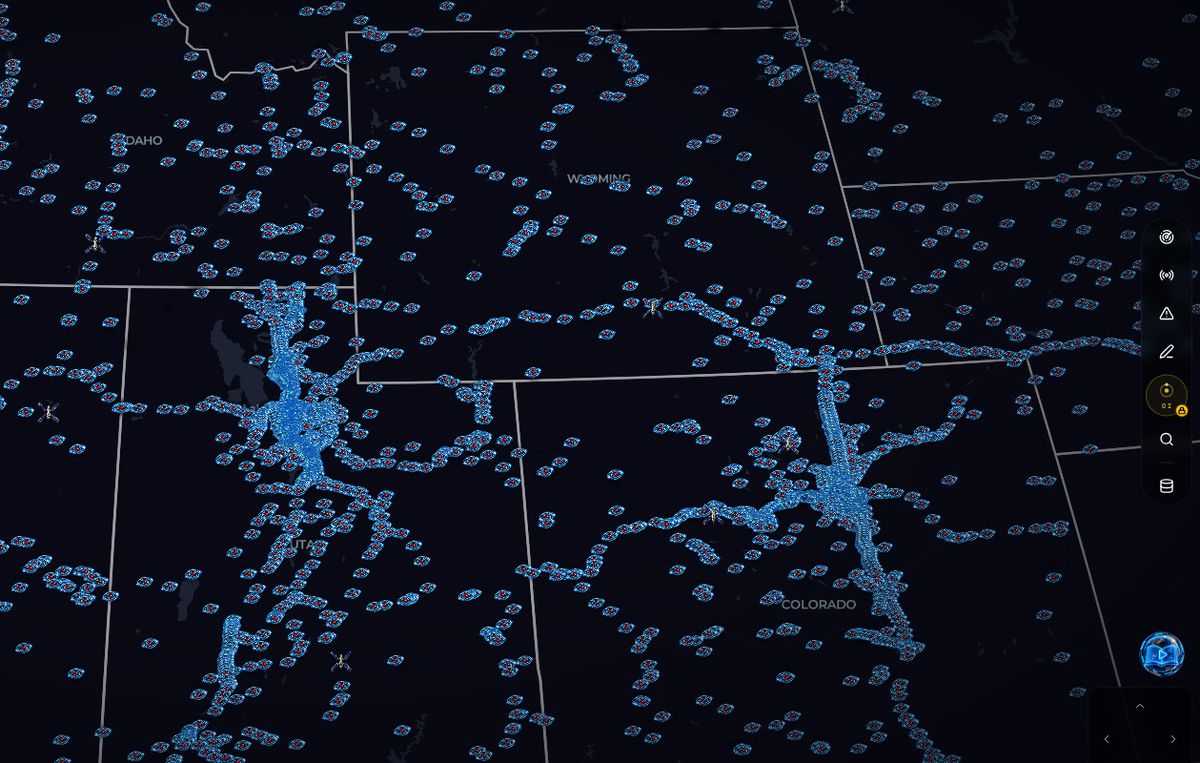
The original God's Eye View is open-source software you install and run on your own machine. WorldEye is the same idea as a website: one live 3D globe with 74,229 public cameras, flights, satellites, weather, earthquakes and wildfires — open in your browser, free, with nothing to install and no API keys to set up. An independent alternative, not the project's official site.
Free in your browser · No signup · Nothing to install · No API keys
Live right now
Real cameras from the live catalogue — tap one to open it on the globe.
What “God's Eye View online” actually means
Most people typing this search have just watched the videos — a photorealistic globe carrying live planes, ships, satellites and thousands of public cameras, all at once — and want to open it. Then they land on a GitHub page. God's Eye View, Bilawal Sidhu's open-source project, is software: you install it (a one-click Pinokio installer, Docker, or a manual clone), it runs locally on your computer, and its best extras — photorealistic 3D tiles, the voice agent — run on API keys you supply yourself.
There is no official hosted version the public can open — the project's team has only waitlisted a future one — and that gap is exactly what this page is for. WorldEye runs the same concept as a website someone else hosts for you: open the page and the globe is already live. It is a separate, independent product — not affiliated with the project, and not a copy of its code — that trades the workbench for a window.
Install it, or open it online
Both routes are legitimate — they just ask different things of you. The honest differences:
| Install the project | Open it online — WorldEye | |
|---|---|---|
| Getting started | Download and install it yourself — Pinokio one-click, Docker, or clone and run | Open worldeye.app in a browser tab |
| Where it runs | On your own computer, served locally | Hosted — any phone, tablet or desktop browser |
| API keys | Starts with none; photorealistic 3D tiles need a Cesium ion token or a Google Maps key, and the voice agent needs an OpenAI key | None — nothing to configure |
| Live cameras | ~4,000 public cameras (a shared cap, per its README) | 74,229 public cameras |
| Keeping it current | You update your own install | Hosted — always the current version |
| Price | Free — open source (MIT); the metered keys are billed to your accounts | Free tier with no signup; optional paid plans for the extra tools |
The project's camera count and key requirements are from its own README. A fuller, sourced comparison lives on our God's Eye View alternatives page.
Why people open it online instead
It works on your phone
The install runs on a desktop you own. The hosted globe opens on the phone in your pocket, a tablet, or any computer — the distance from this page to the live planet is one tap.
No keys to manage
No Cesium ion token, no Google Maps billing account, no OpenAI key, no .env file. The hosted version carries its own infrastructure; you just watch.
A much bigger camera network
74,229 live public cameras against roughly 4,000 in the project's CCTV mesh — searchable by country and city, from ski slopes to volcanoes.
And the honest counterweight: if you want to build, the install is the right call. It is MIT-licensed code you can inspect, fork and extend with your own layers; its 30-tool voice agent — flying the globe and querying layers by speech — has no hosted equivalent; and everything runs on your machine, under your control. Plenty of people keep the install for tinkering and open WorldEye for watching. Both can be true.
Quick answers
Is there a God's Eye View website?
God's Eye View itself has no official website version — it is open-source software you install and run locally. WorldEye is an independent hosted alternative: the same kind of live 3D globe, open in any browser at worldeye.app, with 74,229 cameras and no install.
How do I open a god's eye view online, for free?
Open worldeye.app. The live globe — 74,229 public cameras, flights, satellites, weather, earthquakes and wildfires — loads in the browser free, with no signup and no API key. Free browsing includes your first 5 camera opens.
Do I need an API key for God's Eye View online?
No. WorldEye needs no API key and nothing installed. API keys belong to the self-installed route: the open-source project starts keyless, and you add your own Cesium ion or Google Maps key only if you want its photorealistic 3D tiles, plus an OpenAI key for its voice agent.
God's Eye View online FAQ
Is there a God's Eye View website?
Not an official one. God's Eye View is open-source software you install on your own computer — with the Pinokio one-click installer, Docker, or a manual clone — and it then runs locally, in a browser on your own machine. The project does not operate a public hosted version — its team has only waitlisted a future one. WorldEye is an independent hosted alternative: a website anyone can open, built on the same live-globe idea, with no affiliation with the project.
Can I use God's Eye View online for free?
Yes — through a hosted alternative. WorldEye's globe (cameras, flights, satellites, weather, earthquakes and wildfires) is free to open and browse with no account, and your first 5 camera opens are free too; paid plans remove the camera limits and add the monitoring and intel tools. The original project is also free — it is open source under the MIT licence — but it runs on your own machine, not online.
Do I need an API key to use God's Eye View online?
Not with WorldEye: no keys, no install, no setup. With the original project you also start with no key at all — keys are upgrades you add yourself. Its photorealistic 3D tiles need a Cesium ion token or your own Google Maps API key, and its voice agent runs on your OpenAI key.
Is WorldEye affiliated with God's Eye View?
No. God's Eye View is an open-source project created by Bilawal Sidhu. WorldEye is a separate, independent product from a different team. The two share an idea — one live globe of public data — not code, and neither endorses the other.
Does God's Eye View work on a phone?
The original is an install that runs on your own computer; recent versions adapt its interface to small screens, but it still runs from your own setup. WorldEye is hosted, so it opens directly in a phone or tablet browser — nothing to install first, and nothing to keep updated.
What's the difference between installing it and opening it online?
Installing gives you the code: you can inspect it, modify it, run everything on your own keys, and use the voice agent no hosted site offers. Opening it online gives you the view with none of the upkeep — no installer, no updates, no keys to manage — and a much larger camera network: 74,229 feeds versus roughly 4,000 in the project's CCTV mesh.
The globe is free. The locked layers aren’t.
The globe above is free with no signup. Paid plans unlock the intelligence toolkit, intel layers, timelapse, camera alerts and the recording studio — and every plan starts with a free trial. We email you before your trial's first charge.
10 DAYS FREE
Lite
about $0.12 a day
10 DAYS FREE
Pro
about $0.21 a day
10 DAYS FREE
Ultra
about $0.41 a day
Covered by a 7-day money-back guarantee on your first charge — email us within 7 days of the charge for a full refund, no questions asked.
Skip the install. See the planet.
One globe. Every live layer. Zero setup.
Open WorldEyeWeighing the routes? See the God's Eye View alternatives page.
Explore more
A god's eye view of Earth, live
The concept explained — and the live globe that delivers it, free in your browser.
God's Eye View alternatives
The full honest comparison: the self-hosted project, the hosted options, and which fits you.
God's Eye View vs Google Earth
The live-data globe against the recorded one, head to head.
God's Eye View vs Zoom Earth
Two ways to watch weather and cameras from above, compared.
One email when the sky does something big
Rocket launches, storms overhead and new camera drops — plus major WorldEye news. Rare, and no spam, ever.
Instant subscribe — no confirmation email. We check the address as you type it in.