TUTORIAL · SEARCH FREE
Search cameras like a pro
One box, 74,229 cameras — and a ladder of fifteen free opens hiding in plain sight.
WorldEye's catalogue runs to 74,229 cameras, which makes search the skill that decides whether the site feels like a toy or a tool. The good news: one box searches places, cameras, addresses and raw coordinates together, and the free allowance for opening cameras is a three-rung ladder that goes much further than most visitors realise.
This guide covers the ladder honestly (5 opens anonymously, 10 with an email, 15 with a free account — then, and only then, a Pro suggestion), the result labels that tell you what kind of feed you are about to open, and the filters row — a Pro feature, locked rather than hidden for everyone else. It finishes with the directory pages, the free browsing route most people never find.
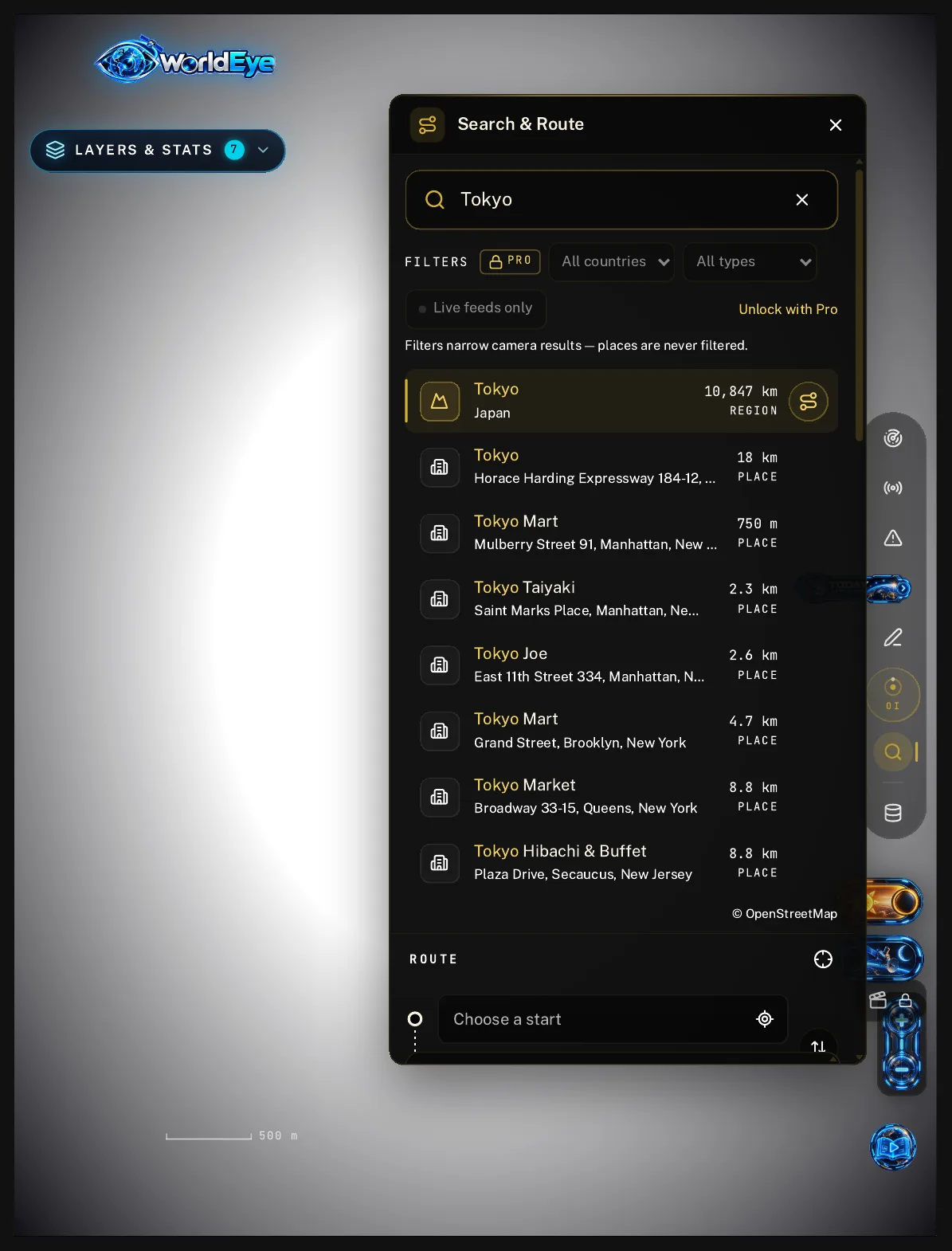
Step by step
- 1Press Ctrl+F (⌘F on a Mac) anywhere on the globe, or open Search & Route. One search box covers everything.
- 2The box invites you to “Search places, cameras, addresses or coordinates” — and means it. Place results fly the globe straight there; camera matches are listed for the area, up to 6 shown at a time, so the list stays readable instead of endless.
- 3Opening a camera is metered on a ladder, and it is generous: 5 camera opens as an anonymous visitor, 5 more when you leave an email (10 in total), and 5 more with a free account (15 in total). Only after all fifteen does WorldEye suggest Pro. Searching itself never uses an open — only opening a camera does.
- 4Every camera result is labelled by how it plays: Live video, Live snapshot, Live embed or At source. Check the label first — if you want moving pictures, open a Live video; if a refreshing still is fine, a Live snapshot spends the same open on a lighter feed.
- 5Above the results sits a filters row: a country selector, a type selector and a Live feeds only toggle. Filters are a Pro feature — for free visitors they sit locked with a PRO badge rather than silently doing nothing. One rule worth knowing: “Filters narrow camera results — places are never filtered.” Your city will always be findable.
- 6Every directory page — countries, cities, airports, beaches, traffic and more — carries its own search box and a browsable explorer of that slice of the catalogue. Browsing and searching there is free and uses no camera opens, which makes it the best way to survey an area before you spend opens on the cameras that matter.